
Game Vault Backend Login: Captcha, Lockouts and Fixes
Published · Gamebridge API
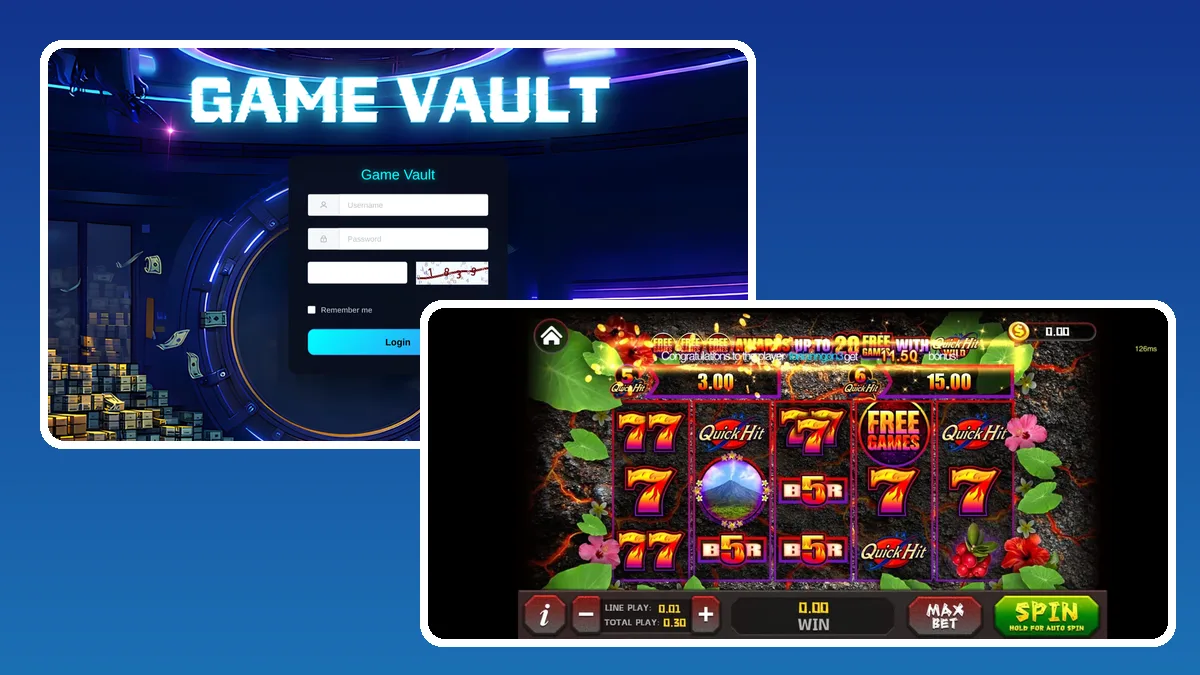
Short answer: the Game Vault backend login is the agent panel at agent.gamevault999.com. The page asks for three things: your username, your password and a short code copied from a small picture. Tick Remember me only on your own phone, then press Login. Players never sign in here. When a login fails, the cause is almost always a mistyped code, a password typo, a weak network or a seat that your supplier has paused. Each fix is below.
What the sign-in page looks like
We opened the page on November 4, 2026 to describe it exactly. It is a dark screen with a large Game Vault title and a round vault door behind a login card.
- A card headed "Game Vault".
- A Username box with a person icon.
- A Password box with a lock icon.
- An empty box next to a little picture showing a code.
- A Remember me tick box.
- One wide cyan Login button.
The browser tab simply reads "Backend". That plain name confuses some new agents, who think they landed on the wrong site. They did not. If the card, the vault door and the picture code are all there, you are on the real page.
Agent login, admin login, backend: one door
Sellers use many names for this page. Game Vault agent login, Game Vault admin login, gamevault999 backend and Game Vault 999 login all describe the same panel.
What changes is the seat behind your username. An agent seat shows players, loads, redeems and history. Higher seats, such as sub-distributor or distributor, also get screens to create logins for the sellers below and to pass them balance. The address you type stays the same for every level.
Players have a different door. They use the Game Vault app or web lobby with the username you created for them. Our guide to creating Game Vault player accounts covers that side.
Sign in step by step
Run through it in this order. After a day or two it becomes automatic.
- Use a current browser. Chrome on Android or Safari on iPhone both work.
- Open your saved bookmark for agent.gamevault999.com. Type it by hand the first time, then save it.
- Enter your username just as your supplier wrote it.
- Enter your password. Letters are case sensitive.
- Copy the picture code into the empty box beside it.
- Leave Remember me unticked on any shared device.
- Press Login and confirm your balance shows at the top.
If the balance looks wrong, stop before loading anyone. Message your supplier first. A wrong number usually means you opened a different seat.
Why a Game Vault login fails, and the fix
Start at the top of this list. Most agents are working again within two checks.
The picture code is not accepted
Codes go stale while a page sits open. Reload to get a fresh picture, type it right away and press Login. Digits like 1 and 7, or 0 and 8, are easy to swap, so look twice.
Username or password rejected
Copy the username and password straight from your supplier's message rather than typing them. Watch for a trailing space or auto-capital on the first letter, which phone keyboards add on their own.
The page is blank or never finishes loading
The panel needs JavaScript, so a privacy browser or data saver mode can stop it. Switch to plain Chrome or Safari, or try mobile data instead of Wi-Fi.
The login worked yesterday but not today
Repeated wrong tries, or a pause set by the account above you, can block a seat. Do not keep guessing. Ask your supplier to check and reset it.
Your first minute inside the panel
Once you are in, glance at three things before serving anyone.
- Balance: your prepaid points, shown at the top.
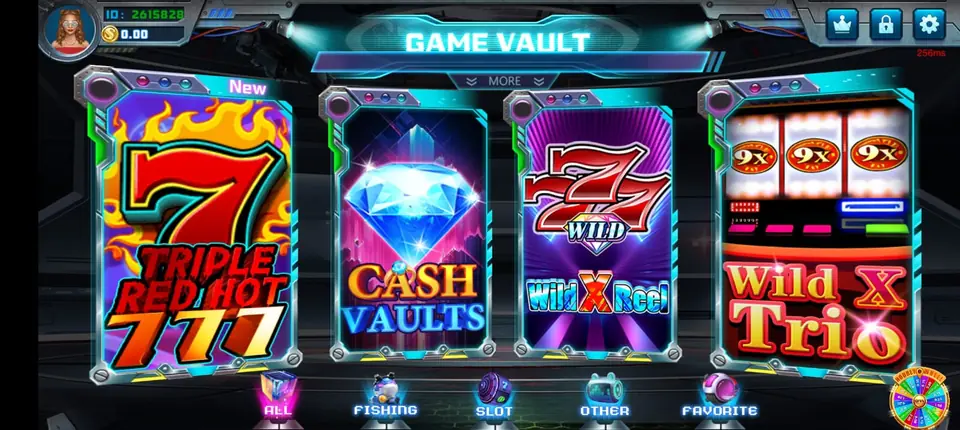
- Player search: players see a numeric ID in the top left corner of their lobby. Ask for that number and search it, instead of guessing a name.
- History: every load and redeem is listed. Check the last few to make sure nothing happened while you were away.
That quick routine catches mistakes early. It also means you can answer "where are my points?" with facts, not guesses.
Keep the panel to yourself
Your password opens every point you have bought. Treat it like a bank card PIN.
- Reach the panel through your bookmark, never through an ad or a link someone posts in a group.
- Look-alike pages can copy the vault door design. If the address bar does not read agent.gamevault999.com, close the tab.
- Give helpers their own logins from your supplier instead of sharing yours.
- Change your password at once if a phone is lost or someone watched you type.
- We will never ask for your password. Anyone who does is not us.
Did anything change this week?
Before publishing on November 4, 2026, we looked for fresh Game Vault news. Nothing new turned up: no address move, no rename and no panel update. Treat this as an evergreen guide.
The sign-in page at agent.gamevault999.com loaded normally when we checked it. The official agents page on gamevault999.com still describes the same setup: sellers apply through the network and then manage stores, sub-distributors and players from their dashboard. Should the panel ever change address, our agents hear it from us first. You can also compare any link against our backend login links page, which we keep updated for each system.
Get your own Game Vault backend login
No seat yet? Our Game Vault agent starter guide explains the first steps. Not sure which version you were given? Our Game Vault 999 vs 777 guide sorts that out. Want sellers working under you? See the seat levels on our distributor accounts page, while the become an agent page lists every game we supply.
Message us for price. We set up an empty Game Vault login first, so you can test the sign-in screen and every menu before paying anything. Points are prepaid only. Since the whole setup is online, it works the same for agents in Nepal, Pakistan, India, the Philippines, Nigeria and beyond.
See prices, backend details and screenshots on our Game Vault distributor page.
FAQ
What is the Game Vault backend login address?
It is agent.gamevault999.com. Type it once, check the spelling, and save it as a bookmark so you never need a search result to find it.
Why does the Game Vault backend keep rejecting my code?
The picture code has probably expired or one digit was misread. Reload the page for a new code, type it straight away and press Login.
Is the Game Vault agent login the same as the admin login?
Yes. It is one panel. Your seat level decides which menus you see, from player tools for agents to seller tools for distributors.
Can players sign in to the Game Vault backend?
No. The backend is only for sellers. Players sign in inside the Game Vault app or web version, using the account their agent made for them.
How do I get a Game Vault backend login?
Write to info@gamebridgedistributor.com, or reach us on WhatsApp and by phone at +1 (724) 466-2790. We open an empty Game Vault login for you to try with no payment up front. Message us for price.
More guides
- Buy Dragon Fury Points: How Prepaid Reloads Work
- Orion Stars Backend Login: Agent Sign-In Help
- Juwa Backend Login: Fixes When the Panel Won't Open
- Dragon Fury New Version: An Agent Update Checklist
- Create a Fire Kirin Account: How Agents Set Up Players
- Orion Stars Redeem: How Agents Handle Cash-Outs
- Create a Game Vault Account for Players: Agent Guide
- Orion Stars New Version: What Agents Should Do
- How to Become a Fire Kirin Agent: First Steps
- Panda Master New Version: What Agents Should Check
- Game Vault New Version: An Update Checklist for Agents
- Juwa New Version: Update or Juwa 2.0? Agent Guide
- Orion Stars Cashier Account: Staff Logins for Agents
- How to Become a Dragon Fury Agent in 2026
- Fire Kirin Sub Distributor: Running a Small Team
- Buy Panda Master Points: A Safe Guide for Agents
- Buy Orion Stars Points: How Agents Restock Safely
- Juwa Sub Distributor: How to Supply Your Own Stores
- How to Become a Game Vault Agent: 2026 Steps
- Dragon Fury Sub Distributor: Supplying Your Own Agents
- Panda Master VIP: What Agents Need to Know
- Fire Kirin New Version: What Agents Should Check
- Buy Juwa Points: A Prepaid Guide for Agents
- Game Vault Sub Distributor: Running a Seller Team
- Orion Stars Sub Distributor: Account Guide for 2026
- Dragon Fury Admin Account: Setup Guide for Agents
- Panda Master Sub Distributor: How the Account Works
- Buy Fire Kirin Points: A Safe Guide for Agents
- Juwa 2.0 Agent Account Setup: Your First Week
- Juwa vs Juwa 2.0: Which Should Agents Run?
- Game Vault 999 vs 777: What Agents Should Know
- How to Become an Orion Stars Agent: Step-by-Step
- How to Become a Panda Master Agent: 2026 Guide
- Vblink to Dragon Fury: Switching Guide for Agents
- How to Become a Fire Kirin Distributor in 2026
- How to Become a Juwa Agent or Distributor
- How to Buy Game Vault Points as a Distributor
- Fire Kirin Backend: How Agent Accounts Work
- Distributor vs Sub Distributor vs Store vs Agent
- Starting With Orion Stars: Setup Walkthrough for Partners