
Create a Game Vault Account for Players: Agent Guide
Published · Gamebridge API

Short answer: players cannot create a Game Vault account on their own. There is no public sign-up screen in the app. The account is made by an agent inside the Game Vault backend. You choose a username, set a starting password, add the player's first points and send the login privately. The player then signs in on the app or the web version. Below is the full routine, plus the naming and password habits that save you support chats later.
Why every Game Vault account starts with an agent
Game Vault is built around a chain of sellers. The studio supplies distributors, distributors supply agents, and agents serve players. Account creation sits at the bottom of that chain, in your hands.
That is good news for you. Because a player cannot make a login without you, every new customer has to come through your chat first. You set the rules from day one: how they pay, when you reply and how cash-outs work.
It also explains a common search. When someone types "create Game Vault account" into Google, they are usually a player looking for an agent. If your page or social profile answers that question clearly, those players find you.
What you need before you add a player
Have these ready before you open the panel. Then the whole job takes about a minute.
- An active agent login. It comes from your distributor. Without it, there is no create button to press.
- Points in your balance. A new account can sit at zero, but most players want to play right away.
- The right version. Know whether your seat runs Game Vault 999 or 777, so you send the matching app link.
- A naming plan. Decide your username pattern once and stick to it.
If you are still choosing between versions, our Game Vault 999 vs 777 comparison covers what changes for agents.
How to create a Game Vault account in 7 steps
Screen labels differ a little between builds, but the order of work is the same.
- Sign in to the backend through the address your distributor sent. Skip links found in search ads.
- Open the player or user section. Look for the option to add or create a new account.
- Type the username. Follow your pattern, such as three letters of your brand and then a running number.
- Set a starting password. Make it unique to this player. Never reuse one password across customers.
- Save and check the list. The new username should appear with a zero balance.
- Load the first points once the player has paid you. Recharge, then confirm the new balance.
- Send the details privately: username, password and the app or web link for your version.
Before you add real players, run these steps once on a test account for yourself. Sign in on your own phone and play a round so you see exactly what customers see.
Picking usernames that stay easy to manage
A username feels like a small choice. After a few hundred players, it becomes the thing you search most often.
Good habits
- Use one prefix for every player you sign up, so your accounts are easy to spot in shared tables.
- Add a number in the order players join. It shows at a glance who is new.
- Keep a private sheet that maps each username to the player's chat name.
Things to avoid
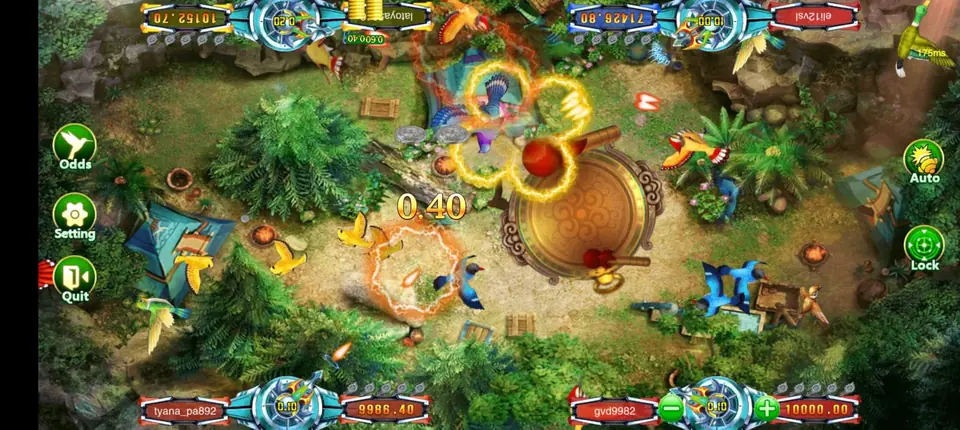
- Real names or phone numbers inside usernames. Fish tables print usernames next to each seat, so other players can read them.
- Letters that look alike, such as a capital I and a small l.
- Two players on one login. The records screen then tells you nothing useful.
Passwords and the first login
New players often type the password wrong on their first try, then message you that the app "doesn't work". A little care up front stops most of those chats.
- Send the username and password as plain text the player can copy, not inside a picture.
- Remind them that the login is case sensitive and spaces count.
- Ask them to change the password after signing in, if their build allows it.
- Tell them only you can reset it. There is no forgot-password email in Game Vault.
When a player is locked out, check the username first, then reset the password in the panel and send the new one. Our sister site has a step-by-step Game Vault player password reset guide you can share with staff.
A welcome message you can reuse
Write your first message to new players once and save it. Keep it short and personal:
- A greeting with your business name.
- Their username and starting password.
- The app link for Android, plus the web link for iPhone users.
- How to pay you and the hours you answer.
- A note that their points will show in the top corner after sign-in.
If a player says the app asks them to update, follow the routine in our Game Vault new version guide before you send any new file.
When to add helpers or sellers under you
Once you sign up many players a day, one person cannot keep up. Some agents give a trusted helper a staff login. Others move up to a sub distributor seat so friends can sell under them and create their own players.
Each step up needs a different account level from your supplier. Our distributor accounts page explains the levels, while our walkthrough on becoming a Game Vault agent helps if you have no seat yet.
Getting your own Game Vault agent seat
Our Game Vault backend and distributor page shows the lobby, the account tiers and how the panel is laid out. Selling more than one game? The become an agent page lists every system we carry, and our backend login links help when a panel address changes.
Message us for price. Before you pay anything, you receive a blank Game Vault login to explore, with room to add a test player. Every point is sold prepaid. Since nothing here needs a shop, a seller in Lahore, Kathmandu, Dhaka, Manila or Lagos uses this exact routine.
See prices, backend details and screenshots on our Game Vault distributor page.
FAQ
Do players need an agent to get a Game Vault account?
No. Game Vault has no public sign-up. An agent creates the account in the backend and sends the player a username and password.
Is making a new Game Vault player account slow?
About a minute once you are signed in to the backend. Most of the time goes into choosing the username and sending the details.
Can I change a player's username later?
Usually not. It is easier to create a new account and move the balance, so pick the username carefully the first time.
What should a player do if their Game Vault login fails?
Check capital letters and spaces first. If it still fails, the agent resets the password in the backend and sends a new one.
Where can I get a Game Vault agent login so I can add players?
From us. Reach us on WhatsApp or by phone at +1 (724) 466-2790. Email info@gamebridgedistributor.com works too. A blank login is yours to check before any payment. Message us for price.
More guides
- Orion Stars New Version: What Agents Should Do
- How to Become a Fire Kirin Agent: First Steps
- Panda Master New Version: What Agents Should Check
- Game Vault New Version: An Update Checklist for Agents
- Juwa New Version: Update or Juwa 2.0? Agent Guide
- Orion Stars Cashier Account: Staff Logins for Agents
- How to Become a Dragon Fury Agent in 2026
- Fire Kirin Sub Distributor: Running a Small Team
- Buy Panda Master Points: A Safe Guide for Agents
- Buy Orion Stars Points: How Agents Restock Safely
- Juwa Sub Distributor: How to Supply Your Own Stores
- How to Become a Game Vault Agent: 2026 Steps
- Dragon Fury Sub Distributor: Supplying Your Own Agents
- Panda Master VIP: What Agents Need to Know
- Fire Kirin New Version: What Agents Should Check
- Buy Juwa Points: A Prepaid Guide for Agents
- Game Vault Sub Distributor: Running a Seller Team
- Orion Stars Sub Distributor: Account Guide for 2026
- Dragon Fury Admin Account: Setup Guide for Agents
- Panda Master Sub Distributor: How the Account Works
- Buy Fire Kirin Points: A Safe Guide for Agents
- Juwa 2.0 Agent Account Setup: Your First Week
- Juwa vs Juwa 2.0: Which Should Agents Run?
- Game Vault 999 vs 777: What Agents Should Know
- How to Become an Orion Stars Agent: Step-by-Step
- How to Become a Panda Master Agent: 2026 Guide
- Vblink to Dragon Fury: Switching Guide for Agents
- How to Become a Fire Kirin Distributor in 2026
- How to Become a Juwa Agent or Distributor
- How to Buy Game Vault Points as a Distributor
- Fire Kirin Backend: How Agent Accounts Work
- Distributor vs Sub Distributor vs Store vs Agent
- Starting With Orion Stars: Setup Walkthrough for Partners