
Game Vault Sub Distributor: Running a Seller Team
Published · Gamebridge API
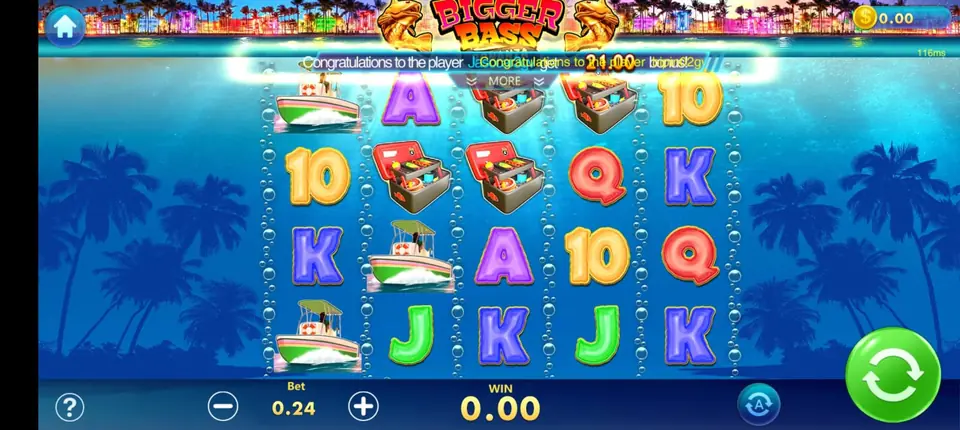
Short answer: a Game Vault sub distributor is a seller who supplies other sellers. You hold a prepaid Game Vault point balance, open store or agent logins for the people under you, and send them points when they run low. You can still look after your own players too. It suits agents whose friends, partner shops or helpers now want to sell Game Vault through them. Below we cover what the seat does, how to set it up and how to keep a small team tidy.
Where a Game Vault sub distributor sits
Think of Game Vault, also written GameVault or Game Vault 999, as a tree with four layers.
- Distributor: funds the whole branch and opens sub distributor seats.
- Sub distributor: that is you. You open and fund store or agent seats.
- Store or agent: creates player usernames, recharges them and handles cash-outs.
- Player: plays on the phone app or the web version with a login from a store.
Points move down the tree, one step at a time. Your sellers buy from you, and you buy from the level above. If the names feel fuzzy, our plain guide to the four account levels explains them for every system.
What the seat can and cannot do
A sub distributor uses the same Game Vault web panel as an agent. The difference is an extra menu for the sellers below you.
What you can do
- Create a new store or agent login and set its first password.
- Transfer points to a seller and pull back points they will not use.
- Read each seller's load and redeem history line by line.
- Reset a seller password when they get locked out.
- Keep serving your own players from the same login.
What you cannot do
- Open another sub distributor seat. That stays with the distributor.
- See branches that belong to other sub distributors.

How to get a Game Vault sub distributor login
Everything happens over chat, and the test comes before any money.
- Tell us your plan. Write "Game Vault sub distributor" on WhatsApp or email info@gamebridgedistributor.com. Say how many sellers you expect in your first month.
- Try a blank seat. We open an empty Game Vault sub distributor login. Sign in, make a test store, make a test player and click through every screen.
- Get the rate. Pricing depends on your volume. Message us for price and we answer privately.
- Fund it prepaid. You pay first, then points go in. No credit and no monthly fee.
- Check the balance. Refresh the panel and confirm the number before you send anything down.
- Open your first seller. One store is enough to begin. Add more once the routine feels easy.
It works the same for sellers in Nepal, Pakistan, the Philippines, Canada or anywhere else, because every step is online. There is no shop or walk-in office to visit anywhere.
Planning your first sellers
A few small habits at the start save a lot of messages later.
Name every login clearly
Pick one pattern and stick to it, such as city plus first name. When a seller asks about their balance at midnight, you find them in seconds.
Give each seller a starting slice
Send a modest amount first. Watch one week of their loads and redeems, then size the next transfer to what they really sell.
Hold a reserve
Keep part of your balance unassigned. Weekends and paydays are when stores run dry, and a reserve lets you top them up without waiting on your own reload.
Ask your sellers to pay you before you send points. It is the same prepaid rule you follow with us, and it keeps the whole branch healthy.
A weekly routine that works
Running a team is mostly about checking numbers on time. Ten minutes a week is usually enough.
- Open each seller's history and compare it with what they paid you.
- Pull back points from any store that has gone quiet.
- Note your own closing balance in a simple sheet.
- Reload yourself a day before you expect to need it.
Keep your own login private. Each seller and each helper gets a separate seat, so the history always shows who did what. Bookmark the panel address we send, since copycat login pages do appear in search results. Our backend login links page lists the current address for every system we carry.
Using Game Vault promotions across your team
Game Vault lets an operator keep several promotions live together, and the lobby theme changes with the seasons. Players also share community jackpots inside the app.
That gives your stores easy talking points. Agree as a team which offers you will mention, so a player hears the same story from every seller. Remind stores to send players the download link or web link you shared, not an app store search, and our guide to Game Vault 999 vs 777 helps when a player asks why they see two names.
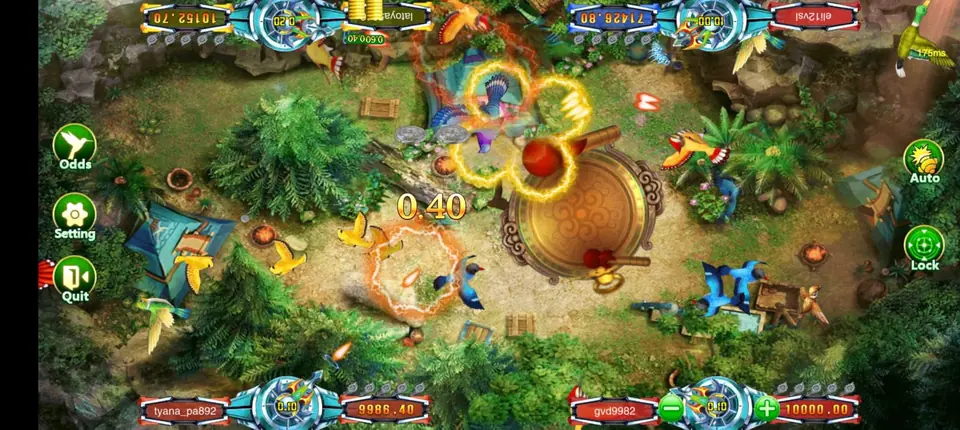
Any Game Vault news this week?
Before writing, we searched for fresh Game Vault announcements. We found player guides and promotional pages, but no confirmed new version, rename or agent panel change from the past few days, which makes this a standing how-to rather than a news story.
If a seller says players are seeing an update prompt, message us before anyone installs it. We confirm the right link first.
Sub distributor or full distributor?
Most people do well at this level for a long time. Move up only when the tree itself needs to grow.
Signs it is time: you want other people to run their own seller teams under you, or your weekly volume keeps outgrowing your balance. The top seat is explained on our distributor accounts page, and changing level does not touch your sellers or their players.
Start your Game Vault team
See game counts, screenshots and panel features on our Game Vault distributor and agent page. Running more than one game? The middle level on other systems is covered on our sub distributor accounts page. Planning your first stock order? Read how to buy Game Vault points as a distributor.
First time selling any game? Start from zero with our step-by-step agent starter guide. When you are ready, send us a message and your empty Game Vault seat comes first, before any payment.
See prices, backend details and screenshots on our Game Vault distributor page.
FAQ
What is a Game Vault sub distributor?
It is the middle seat in Game Vault. You open and fund store or agent logins for your sellers, while your own players stay with you as well.
How is a Game Vault sub distributor different from a store or agent?
A store or agent only creates and loads players. A sub distributor can also create seller logins and move points to them from its own prepaid balance.
Can a Game Vault sub distributor open another sub distributor?
No. Only the distributor level can open sub distributor seats. You create stores and agents.
Do I need a different app or backend as a sub distributor?
No. You sign in to the same Game Vault web panel in any browser. Your login simply shows an extra section for your sellers.
How do I get a Game Vault sub distributor account?
Message us on WhatsApp +1 (724) 466-2790 or email info@gamebridgedistributor.com. You get an empty seat to look through first, and payment comes only once it checks out.
More guides
- Orion Stars Sub Distributor: Account Guide for 2026
- Dragon Fury Admin Account: Setup Guide for Agents
- Panda Master Sub Distributor: How the Account Works
- Buy Fire Kirin Points: A Safe Guide for Agents
- Juwa 2.0 Agent Account Setup: Your First Week
- Juwa vs Juwa 2.0: Which Should Agents Run?
- Game Vault 999 vs 777: What Agents Should Know
- How to Become an Orion Stars Agent: Step-by-Step
- How to Become a Panda Master Agent: 2026 Guide
- Vblink to Dragon Fury: Switching Guide for Agents
- How to Become a Fire Kirin Distributor in 2026
- How to Become a Juwa Agent or Distributor
- How to Buy Game Vault Points as a Distributor
- Fire Kirin Backend: How Agent Accounts Work
- Distributor vs Sub Distributor vs Store vs Agent
- Orion Stars Distributor Guide for New Partners