
Buy Fire Kirin Points: A Safe Guide for Agents
Published · Gamebridge API
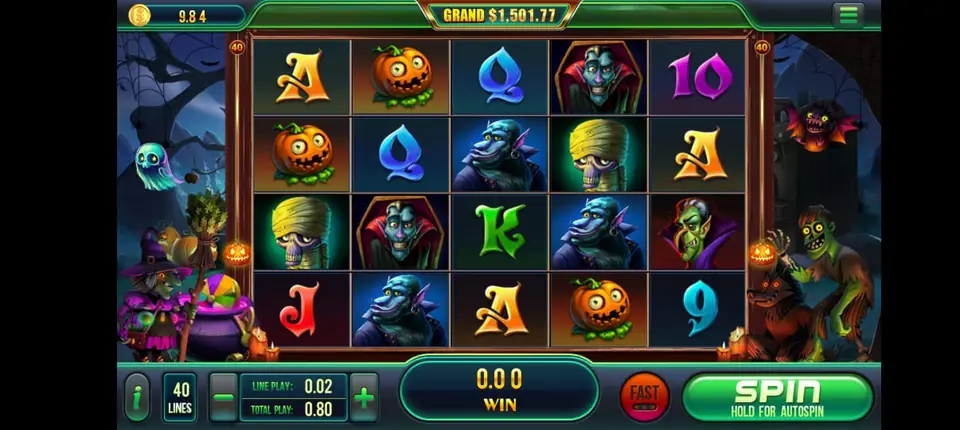
Short answer: to buy Fire Kirin points, you message a supplier, test an empty Fire Kirin account, agree the rate privately, pay up front and watch the credits land in your agent backend. That is the whole flow. The hard part is not the purchase itself. It is picking a seller you can trust, ordering the right amount and keeping your balance from running dry on a busy night. This guide walks through each of those, step by step.
What Fire Kirin points actually are
Fire Kirin points, also called Fire Kirin credits or FireKirin points, are the balance that sits in your agent or distributor login. You move them from your balance into player accounts. Players then spend them on fish tables, slots and keno inside the Fire Kirin app or browser game.
When a player cashes out, you redeem their points in the panel. Those points return to your own balance, so you can load them again. Your stock only shrinks by what players actually keep playing through, not by every load.
So buying points is really buying working stock for your shop. Think of it like a store owner restocking shelves.
How to buy Fire Kirin points, step by step
Here is the order we follow with every new client. Other sellers may differ, but each step below protects you.
- Send one message. Write "Fire Kirin points" on WhatsApp or email info@gamebridgedistributor.com. Say whether you are a new agent or already have a login.
- Test an empty account. New clients get an empty Fire Kirin login first. Sign in, open the player list and try the recharge and redeem screens.
- Ask for the rate. We reply privately. Message us for price, because it depends on your level and order size.
- Pay up front. Billing is prepaid only. We never sell points on credit.
- Check the balance. Refresh your backend and confirm the new total before you load anyone.
- Save the receipt. Note the date, amount and new balance in your own sheet.
The empty account matters most. It lets you judge the panel, the speed and our replies before a single dollar moves.
Where the points show up
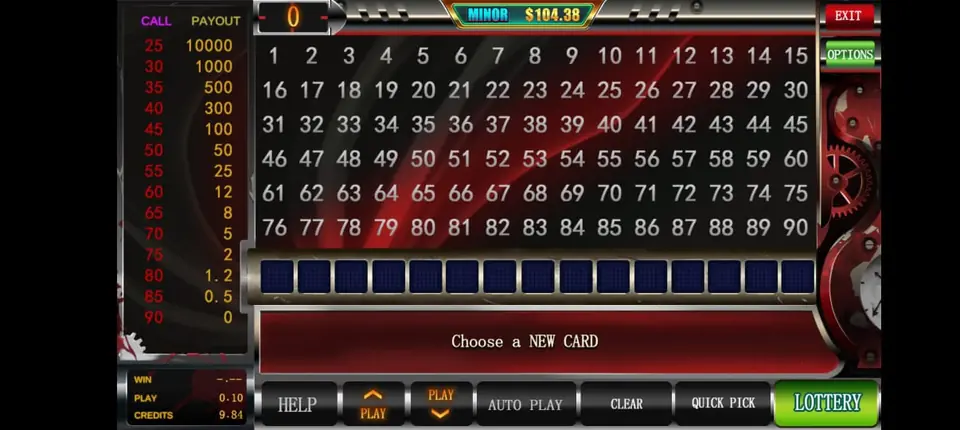
Your credits appear in the Fire Kirin agent backend, the web panel you sign in to from a browser. There is nothing to install on your side. The balance is shown near the top of the page once you log in.
If you have not used the panel yet, our post on how Fire Kirin backend agent accounts work explains the screens. The current sign-in address for every system we carry sits on our backend login links page.
If the balance looks wrong
Log out and back in first, since the figure can lag behind a fresh top-up. Then check you opened the Fire Kirin panel and not a sister system like Orion Stars. If it still looks off, send us a screenshot and we will sort it out.
How many points should you buy?
There is no single right number. A good first order is one you can watch for a few days without stress.
- Start small while you learn how fast a normal day uses credits.
- Track daily loads minus redeems for one week.
- Set a reload point of about two normal days of stock.
- Order earlier before weekends, paydays and holidays, when play picks up.
Late October is a good example. Seasonal slots, like the Halloween reels in the picture above, tend to bring players back, so check your balance before the weekend rather than during it.
Buying as an agent vs a distributor
Agents buy points to load their own players. Distributors buy larger amounts and pass points down to sub distributors and agents under them. The purchase steps are the same at every level. What changes is who you load.
A distributor creates agent logins the same way an agent creates players, then tops each one up from the distributor balance. Our guide on how to become a Fire Kirin distributor covers that setup, and our distributor accounts page explains the levels for every system.
Not sure which level fits? Start as an agent. Moving up later is a simple conversation.
How to spot a risky points seller
Search results for Fire Kirin points are crowded, and plenty of sellers call themselves official. Before you pay anyone, run through this list.
- Will they show you an empty account before payment? If not, walk away.
- Do they send the backend address in writing, so you can check it?
- Do they answer questions about reloads and redeems clearly?
- Do they push you to pay fast, or offer points on credit? Both are warning signs.
- Do they ask for your player passwords? A real supplier never needs them.
Look-alike login pages also show up in search. Only sign in through the address your supplier sends, and bookmark it.
Reloading without running dry
Once you have bought your first points, the next job is never hitting zero mid-evening. A player who cannot get a recharge often moves to another agent.
Check your balance at the start of each shift. When you near your reload point, message us with the amount you want. After payment, the top-up goes into the same login, so your players notice nothing.
Keep one simple sheet with three columns: points bought, points loaded and points redeemed. Compare it with the panel records once a week. Small gaps are easy to fix early.
Is there any Fire Kirin news this week?
We looked for fresh Fire Kirin announcements before writing this. We found no new version, rename or backend change confirmed by a reliable source in the last few days, so this is an evergreen guide.
If players report an update prompt, ask us for the current download link before anyone installs it.
Ready to buy Fire Kirin points?
See screenshots, game counts and the account levels on our Fire Kirin distributor and agent page. If you are brand new to this business, our guide to becoming a game agent covers the basics for any system.
We also run Fire Kirin Distributors, a site with deeper Fire Kirin guides. When you are ready, message us for price and we will send your empty account first.
See prices, backend details and screenshots on our Fire Kirin distributor page.
FAQ
How do I buy Fire Kirin points?
Message a supplier, test an empty Fire Kirin account, agree the rate, pay up front and check that the credits reached your agent backend.
Are Fire Kirin points and Fire Kirin credits the same?
Yes. Points, credits and FireKirin points all mean the balance in your agent or distributor login.
How fast do Fire Kirin points arrive?
With us, points are loaded into your backend after payment is confirmed. Refresh the panel to see the new balance.
Can I use Fire Kirin points on Orion Stars?
No. Fire Kirin and Orion Stars are sister systems, but each has its own login and its own balance.
What do Fire Kirin points cost?
It depends on your level and order size. Message us for price on WhatsApp +1 (724) 466-2790 or at info@gamebridgedistributor.com.
More guides
- Juwa 2.0 Agent Account Setup: Your First Week
- Juwa vs Juwa 2.0: Which Should Agents Run?
- Game Vault 999 vs 777: What Agents Should Know
- How to Become an Orion Stars Agent: Step-by-Step
- How to Become a Panda Master Agent: 2026 Guide
- Vblink to Dragon Fury: Switching Guide for Agents
- How to Become a Fire Kirin Distributor in 2026
- How to Become a Juwa Agent or Distributor
- How to Buy Game Vault Points as a Distributor
- Fire Kirin Backend: How Agent Accounts Work
- Distributor vs Sub Distributor vs Store vs Agent
- Orion Stars Distributor Guide for New Partners