
How to Become a Fire Kirin Agent: First Steps
Published · Gamebridge API
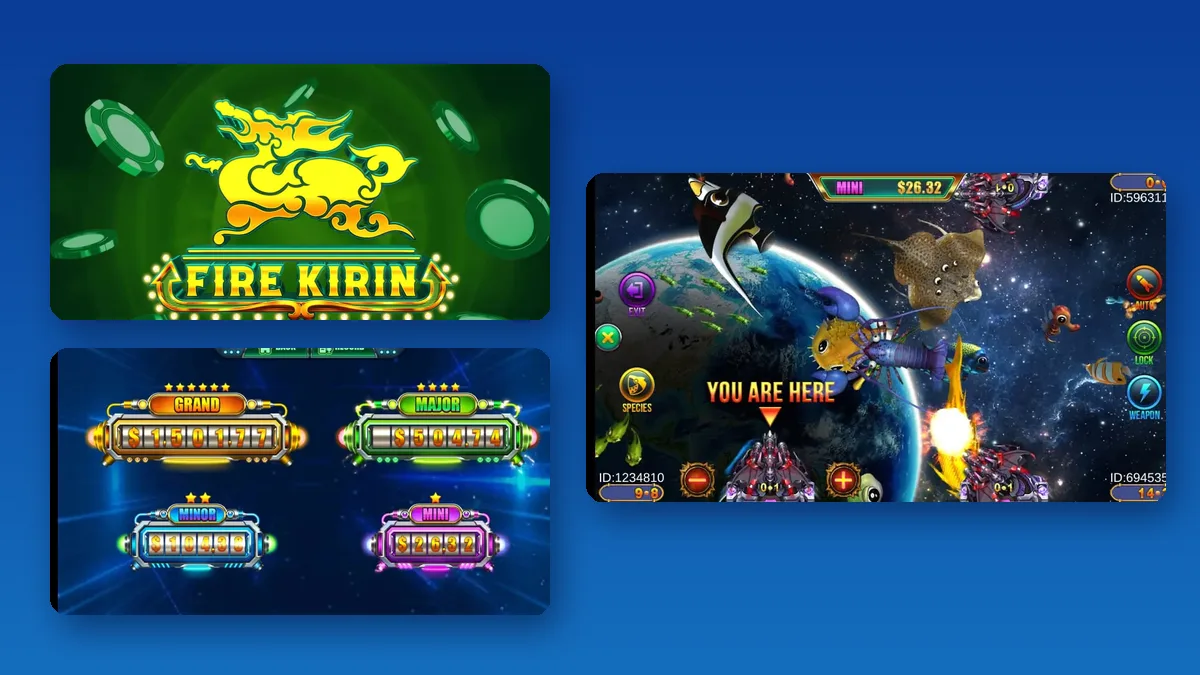
Short answer: to become a Fire Kirin agent, you message a supplier, ask for an agent account, look through the empty account they send, then pay up front for points. After that you open player logins from your own panel and send credit to each player who pays you. There is no public sign-up form and no software to install. This guide walks a new Fire Kirin agent through each step, from the first message to the first week of players.
What a Fire Kirin agent does
Players never meet the platform. They meet you. As a Fire Kirin agent you keep a stock of points in your panel and pass them out one customer at a time.
Your work is simple to describe. A player messages you. They pay. You add credit to their login. Later they may ask to cash out, and you take the points back into your balance before you settle with them.
That makes the role personal. Players come back to the agent who answers fast and keeps their account working. They do not care much about the backend. They care about you.
Agent or a bigger account?
Most people should start as an agent. It is the right seat if you have your own players, or a plan to find them, and you want to serve them yourself.
- Agent: you sell credit straight to players.
- Sub distributor: you also supply a few other sellers. See our Fire Kirin sub distributor guide.
- Distributor: you supply a whole network. Our distributor accounts page explains that level.
You can move up later. Plenty of partners begin with one agent login and ask for a larger account once other sellers start buying from them.

Steps: how to become a Fire Kirin agent with us
Here is the exact path we follow with every new Fire Kirin agent:
- Message us on WhatsApp or email info@gamebridgedistributor.com with the words "Fire Kirin agent".
- Tell us if Fire Kirin is your only game or one of several.
- We share today's price and check that an agent seat suits your plans.
- We create an empty Fire Kirin agent account and send you the login.
- Sign in, click around and make sure it works for you. You have paid nothing so far.
- Satisfied? Pay up front for an opening block of points.
- We load your balance and you are ready to add players.
Every balance is prepaid. You never sell points you have not bought, so nobody sends you a bill at the end of the month.
Your Fire Kirin agent login
The agent panel is a website, not an app. You open it in a browser on a laptop or a phone and sign in with the username and password we give you.
Bookmark the address on the first day. If you lose it, our backend links page keeps the current agent address for Fire Kirin and the other games we carry.
One point catches new agents out. Our own notes say the Fire Kirin backend needs a VPN when you reach it from outside the USA. If the page will not open where you are, tell us and we will share what has worked for other partners.
Want a closer tour of the menus? Read our guide on how Fire Kirin backend agent accounts work.
Setting up your first players
Do one full test before you invite real customers. It takes about ten minutes and shows you the whole loop.
- Create one test player with a clear username.
- Send it a small amount of credit from your balance.
- Open the Fire Kirin app or browser game and log in as that player.
- Check that the credit shows up, then take it back to your balance.
- Open the history page and find both moves.
Once that works, you know how every real order will look. For real players, pick usernames you can match to a name in your chat, such as a first name plus a short number. Send each login in a private message, never in a group.
Keeping your points stocked
An agent with no balance cannot serve anyone. Look at your points before your busy hours start, not when a player is already waiting.
Running low means a quick message to us for a recharge. Our Fire Kirin promo currently sits at 11%, and orders begin at 5,000 points. That rate can move, so check it with us before each payment. Our guide to buying Fire Kirin points covers ordering and reload timing in more detail.
Keep a small buffer on top of what you expect to sell. Late nights and weekends are when a quick reload matters most.
Your first week as a Fire Kirin agent
The first week sets your habits. Keep it boring and careful.
- Day 1: change your password, save the panel link and run the test player.
- Days 2 to 3: add your first few real players and answer every message quickly.
- Days 4 to 5: write down each load and cash out in your own notes as well.
- Days 6 to 7: compare your notes with the panel history and fix any gap now.
If a player says the app looks different, check our Fire Kirin new version checklist before you send out any new download link.
Mistakes that cost new agents players
- Slow replies. A player who waits an hour often finds another agent.
- Sharing your own login. Helpers and players each need their own access.
- Skipping the empty account check. Always look before you pay, even in a rush.
- Guessing amounts. Read the number twice before you press confirm.
- No notes. Without your own record, a dispute turns into your word against theirs.
Adding more games later
Many Fire Kirin agents add a second game once the first one runs smoothly. Players like having choice, and you can serve them from one chat with us.
Orion Stars and Milky Way use a panel layout that feels close to Fire Kirin, so they are easy next steps. Our general guide to becoming an agent also covers running several games side by side. For Fire Kirin screenshots and backend details, see our Fire Kirin distributor page.See prices, backend details and screenshots on our Fire Kirin distributor page.
FAQ
How do I become a Fire Kirin agent?
Ask us for a Fire Kirin agent account on WhatsApp or email. You get an empty login to look through at no cost. After that you pay up front, and your points land in the panel.
Can I sign up as a Fire Kirin agent on the official site?
We have not seen a public self-service sign-up for agents. Agent accounts are set up by a supplier who creates the login and loads the points.
Is a FireKirin agent the same as a Fire Kirin agent?
Yes. People type it both ways. FireKirin is just Fire Kirin without the space, and one agent login covers both names.
Can I run a Fire Kirin agent account from my phone?
Yes. The agent panel opens in a mobile browser. A laptop is easier for long sessions, and you may need a VPN outside the USA.
How much does it cost to become a Fire Kirin agent?
Message us for price. Today the Fire Kirin promo is 11% with a 5,000-point minimum, and we confirm the current rate whenever you are ready to order.
More guides
- Panda Master New Version: What Agents Should Check
- Game Vault New Version: An Update Checklist for Agents
- Juwa New Version: Update or Juwa 2.0? Agent Guide
- Orion Stars Cashier Account: Staff Logins for Agents
- How to Become a Dragon Fury Agent in 2026
- Fire Kirin Sub Distributor: Running a Small Team
- Buy Panda Master Points: A Safe Guide for Agents
- Buy Orion Stars Points: How Agents Restock Safely
- Juwa Sub Distributor: How to Supply Your Own Stores
- How to Become a Game Vault Agent: 2026 Steps
- Dragon Fury Sub Distributor: Supplying Your Own Agents
- Panda Master VIP: What Agents Need to Know
- Fire Kirin New Version: What Agents Should Check
- Buy Juwa Points: A Prepaid Guide for Agents
- Game Vault Sub Distributor: Running a Seller Team
- Orion Stars Sub Distributor: Account Guide for 2026
- Dragon Fury Admin Account: Setup Guide for Agents
- Panda Master Sub Distributor: How the Account Works
- Buy Fire Kirin Points: A Safe Guide for Agents
- Juwa 2.0 Agent Account Setup: Your First Week
- Juwa vs Juwa 2.0: Which Should Agents Run?
- Game Vault 999 vs 777: What Agents Should Know
- How to Become an Orion Stars Agent: Step-by-Step
- How to Become a Panda Master Agent: 2026 Guide
- Vblink to Dragon Fury: Switching Guide for Agents
- How to Become a Fire Kirin Distributor in 2026
- How to Become a Juwa Agent or Distributor
- How to Buy Game Vault Points as a Distributor
- Fire Kirin Backend: How Agent Accounts Work
- Distributor vs Sub Distributor vs Store vs Agent
- Starting With Orion Stars: Setup Walkthrough for Partners