
Orion Stars Cashier Account: Staff Logins for Agents
Published · Gamebridge API
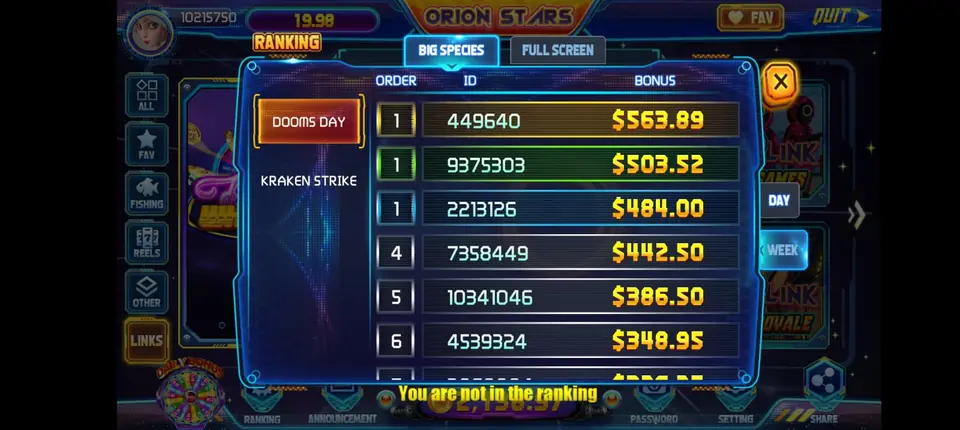
Short answer: an Orion Stars cashier account is a staff login that sits under your own agent or store account. A helper uses it to create players, load points after payment and process redeems, while you keep the main password and the balance. You add one when you can no longer answer every player yourself. Ask for it during setup, try it on an empty login first, and pay for prepaid points only after you are happy. Below: what it is, who needs it, setup steps and simple rules for staff.
What an Orion Stars cashier account is
Think of it as a second key to your shop. Your main login stays with you. The cashier login lets someone else do the routine work at the counter.
Sellers use several names for it: cashier login, staff login, helper account or sub-account. Searches like "orion star cashier" or "orionstars cashier login" usually mean this seat.
A cashier does not hold separate stock. Every point a cashier moves comes out of the balance above it. That is the key difference from a store or sub distributor seat, which keeps its own balance.
Cashier, store or sub distributor?
These three get mixed up a lot. Pick the smallest one that solves your problem.
- Cashier login: a helper serves your players from your balance. Best when you want an extra pair of hands, not a new business.
- Store account: a separate seat with its own points, often for a second shop or a partner who runs their own group.
- Sub distributor: you supply other agents and stores. Our Orion Stars sub distributor guide covers that level.
Exact menus depend on your account level and on what the panel offers at the time. We show you what your login can do while it is still empty, before any payment.
When an agent needs a cashier
Most agents run alone at first. Then the messages start piling up. These are the usual signs it is time:
- Players wait too long at night or on weekends.
- You want to sleep, travel or take a day off without closing.
- You sell several games and keep switching between panels.
- A family member already helps but uses your own password.
That last one matters most. Sharing your main password means you cannot tell who did what. A separate staff login fixes that in a few minutes.
How to set up an Orion Stars cashier login
The setup is short. Do it in this order so no money moves before you have seen the panel.
- Message us. Write "Orion Stars cashier" on WhatsApp or email info@gamebridgedistributor.com. Say how many helpers you plan to add.
- Check the empty account. We open a blank Orion Stars login for you. Look for the staff or cashier option and see what it allows.
- Pick clear names. Use one username per person, such as your tag plus a first name. Never reuse one login for two helpers.
- Run a test loop. Make a practice player, add a small amount, then take it back out. Do it once as yourself and once as the cashier.
- Pay prepaid. Once it all works, buy your first points. Message us for price.
- Hand over privately. Each helper gets their username and password one to one. Group chats are the wrong place for logins.
New to the game itself? Read our Orion Stars agent guide first, then come back here.
Simple rules for every cashier
Staff mistakes are rarely dishonest. They usually come from rushing. Write a few rules down and pin them in your staff chat.
- Load points only after the payment shows up, not after a screenshot.
- Sign in only through the address we sent. Our backend login links page always shows the current one.
- Never promise wins, bonuses or timing you cannot control.
- Pass every dispute or refund question to the owner.
- Log each load and redeem in one shared sheet with the time and player name.
Keep the rules short. A helper reads five lines. Nobody reads a long manual at 2 AM.
Checking cashier work each week
Once a week, open your history and compare it with the payments you received. Look at each staff login on its own.
What to look for
Loads with no matching payment. Redeems that seem large for that player. Activity at hours when that helper was off. Most gaps turn out to be typos, and they are easy to fix when they are only a few days old.
When someone leaves
Change or close their login the same day. Then change your main password too, just in case it was ever shared.
Cashiers and a multi-game setup
Many cashiers handle more than Orion Stars. Players often want its sister game Fire Kirin, or Game Vault and Juwa, from the same agent.
Using one supplier keeps staff training simple. The prepaid rules, the empty test login and the support chat stay the same for every game. Our 10-game bundle includes Orion Stars too: 1,200 USDT buys 1,000 points on each of its 10 systems.
If your team grows into supplying other sellers, read about our distributor accounts. Starting fresh? Our become an agent page explains the first steps for every system. We work with agents worldwide, fully online.
See prices, backend details and screenshots on our Orion Stars distributor page.
FAQ
What is an Orion Stars cashier account?
It is a staff login under your agent or store account. A helper can serve your players from your prepaid balance while you keep the main login.
Does a cashier login have its own points?
No. A cashier moves points from the balance above it. If you need a seat with its own balance, ask about a store or sub distributor account.
How many cashier logins can I have?
It depends on your account level and the panel options. Tell us how many helpers you plan to add, and we show you the limits on your empty account first.
What should I do when a cashier leaves?
Close or change their login the same day, then change your main password. Check their last week of history against your payments.
How do I get an Orion Stars cashier login?
Message us on WhatsApp +1 (724) 466-2790 or email info@gamebridgedistributor.com. You get a blank Orion Stars account first, and payment comes only once you have tried it.
More guides
- Juwa New Version: Update or Juwa 2.0? Agent Guide
- How to Become a Dragon Fury Agent in 2026
- Fire Kirin Sub Distributor: Running a Small Team
- Buy Panda Master Points: A Safe Guide for Agents
- Buy Orion Stars Points: How Agents Restock Safely
- Juwa Sub Distributor: How to Supply Your Own Stores
- How to Become a Game Vault Agent: 2026 Steps
- Dragon Fury Sub Distributor: Supplying Your Own Agents
- Panda Master VIP: What Agents Need to Know
- Fire Kirin New Version: What Agents Should Check
- Buy Juwa Points: A Prepaid Guide for Agents
- Game Vault Sub Distributor: Running a Seller Team
- Orion Stars Sub Distributor: Account Guide for 2026
- Dragon Fury Admin Account: Setup Guide for Agents
- Panda Master Sub Distributor: How the Account Works
- Buy Fire Kirin Points: A Safe Guide for Agents
- Juwa 2.0 Agent Account Setup: Your First Week
- Juwa vs Juwa 2.0: Which Should Agents Run?
- Game Vault 999 vs 777: What Agents Should Know
- How to Become an Orion Stars Agent: Step-by-Step
- How to Become a Panda Master Agent: 2026 Guide
- Vblink to Dragon Fury: Switching Guide for Agents
- How to Become a Fire Kirin Distributor in 2026
- How to Become a Juwa Agent or Distributor
- How to Buy Game Vault Points as a Distributor
- Fire Kirin Backend: How Agent Accounts Work
- Distributor vs Sub Distributor vs Store vs Agent
- Starting With Orion Stars: Setup Walkthrough for Partners