
Orion Stars New Version: What Agents Should Do
Published · Gamebridge API
Short answer: when Orion Stars ships a new version, only the app on players' phones gets replaced. Your agent backend stays exactly as it was. Players keep their usernames and credits. The real risk is the wrong file. Unrelated apps use the Orion Stars name, and some even sit on Google Play. So when an update notice appears, confirm it with your supplier, try the build on your own phone with a test login, and only then hand the link to players. The steps are below.
The "upgrade version coming soon" notice
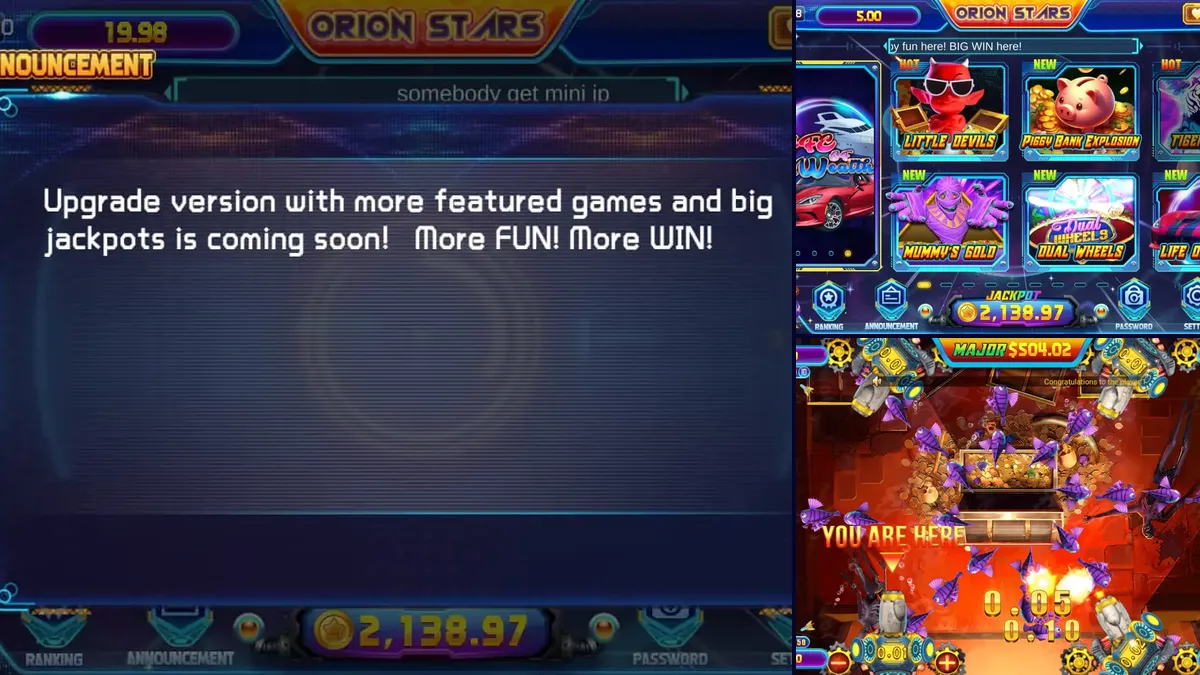
Many agents first hear about an Orion Stars new version from the game itself. The lobby has an Announcement button, and one notice we have seen reads: "Upgrade version with more featured games and big jackpots is coming soon!" You can see that message in the picture at the top of this page.
A notice like that is a heads-up, not a download. Nothing needs to happen on your side when it shows. Players may still ask about it, so a calm one-line reply helps: "When the new app is ready, I will send you the link myself."
Keep that promise. A player who waits for your link is a player who never installs a stranger's file.
Four things players mean by "new Orion Stars"
The phrase covers more than one situation. Ask the player for a screenshot before you answer.
- A real app build. The Android or iPhone installer was replaced and players have to reinstall or tap update.
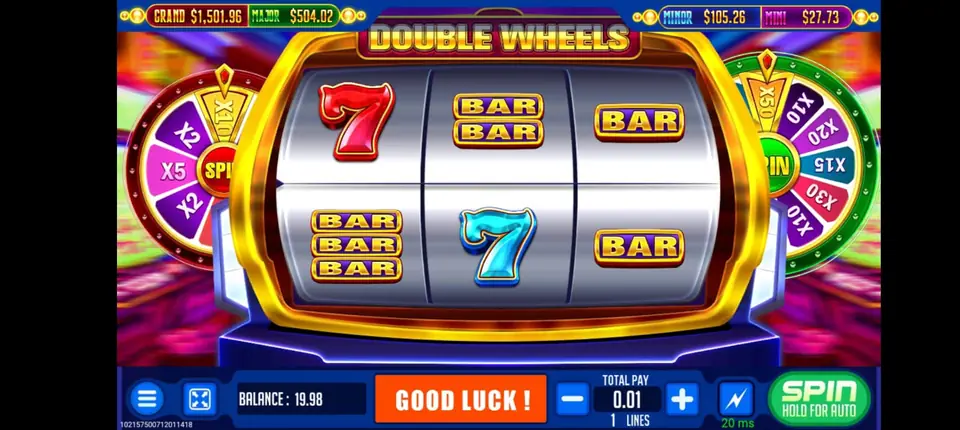
- New titles in the lobby. Fresh fish rooms or slots appear, often with a NEW tag. They load from the server, so there is nothing to install.
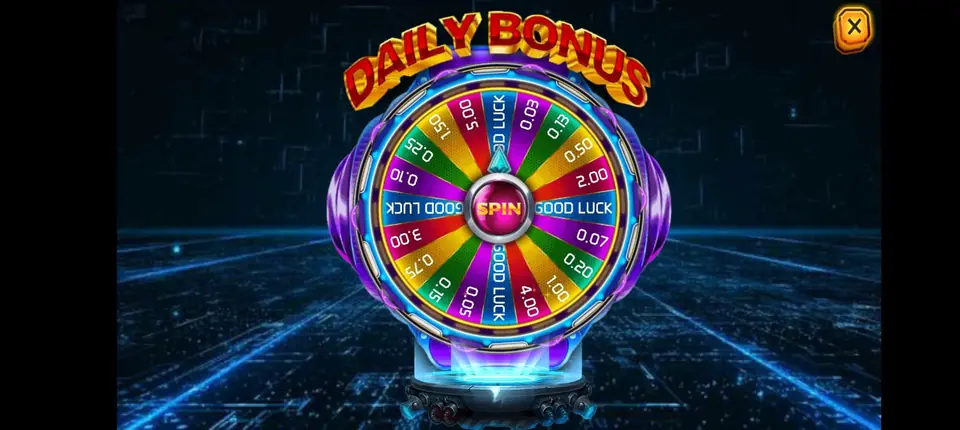
- Lobby extras. A daily bonus wheel or a fresh banner. Players sometimes call that a new version too.
- A look-alike app. Something carrying the Orion Stars name that has no link to the backend you sell on.
Only the first item asks anything of you. The last one is why this guide exists.
Look-alike Orion Stars apps
On October 31, 2026, we looked up Orion Stars app listings before writing. PlayStore Radar, a site that tracks Google Play apps, shows an app named "Orion Stars 777: Online Gaming" from a developer listed as "bre". Its only version is 1.0.0, released September 23, 2026, with about 100+ downloads.
We could not connect that app to the Orion Stars backend our agents use. A player who installs it will not find their login there. Treat any store listing with the Orion Stars name the same way until your supplier says otherwise.
The safe source is simple: the link that comes from you, which you got from us.
How to check an Orion Stars update in 6 steps
Follow this routine whenever a player reports an update pop-up, a new icon or a link someone sent them.
- Ask us. Message "Orion Stars update?" on WhatsApp or email info@gamebridgedistributor.com. We tell you if the player link really changed.
- Use your own phone. Put the new build on a device you control. Never test on a customer's phone.
- Keep the old app installed. Remove it only when we tell you a fresh install is required.
- Sign in with a spare player. Create one in the Orion Stars backend if you need to, and give it a small load.
- Play briefly. Spin one slot and enter one fish room. The balance should match what your panel shows.
- Redeem the test credits. Confirm the redeem appears in your records, then share the link.
Ten minutes of testing can spare you a full night of "the app won't open" messages.
What an app update cannot touch
The player app and your backend are two separate pieces. A new build changes the first and leaves the second alone.
Stays the same
- The prepaid points in your panel.
- Player usernames and passwords.
- Your load and redeem records.
- Logins for any cashier or staff helpers.
Can change
- Lobby order, tags and banners.
- The install file and its size.
- The oldest phone software the app supports.
No one has to buy points again or rebuild a player list after an update. If someone demands that, stop and message us. Staff logins are covered in our Orion Stars cashier account guide.
Telling players about the update
A short, steady message keeps your players from searching on their own.
- Say what changed, for example "new Orion Stars app link today".
- Send the link privately to each player instead of posting it in public.
- Tell them their login and credits carry over.
- Ask them to skip Orion Stars apps they find in stores or ads.
- Remind them the browser version still works while they update.
Pin the note in your group chat. For install help on Android and iPhone, our Orion Stars site has an Orion Stars APK update page you can point players to.
Has Orion Stars announced anything lately?
We also checked for a recent official Orion Stars announcement while preparing this guide. We found none: no announced build date, no rename and no backend move. That makes this an evergreen guide.
The only "version" we could find was the third-party store listing above. When a real Orion Stars update reaches us, we tell our agents directly.
Getting started with Orion Stars
You can see the lobby, the full title list and each account tier on our Orion Stars distributor and backend page. New to selling? Read how to become an Orion Stars agent, or see the become an agent page for any game. Want to supply other sellers? Look at our distributor accounts, and keep our backend login links handy in case a panel address moves.
Message us for price. Before any payment, you get an empty Orion Stars account to look around in, and all points are prepaid. The work is fully online, so an agent in Rawalpindi follows the same steps as one in Pokhara, Davao or Abuja.
See prices, backend details and screenshots on our Orion Stars distributor page.
FAQ
Can I download the Orion Stars upgrade yet?
Not from any official source we could find. The lobby notice says an upgrade is coming soon, so wait for your supplier's link before installing anything.
Is the Orion Stars 777 app on Google Play the real one?
We could not link the "Orion Stars 777: Online Gaming" listing to the backend our agents use. Send players only the link your supplier gives you.
Will an Orion Stars update wipe player balances?
No. Balances and usernames are kept on the game server, not the phone. After updating, players sign in with the same username and password.
Does an Orion Stars update change my backend login?
No. The backend is a website, separate from the player app. If your panel address ever moves, check our backend links page or ask us.
Who can set me up with an Orion Stars account?
We can. Our WhatsApp and phone number is +1 (724) 466-2790, and our email is info@gamebridgedistributor.com. You get an empty account to test before paying anything. Message us for price.
More guides
- How to Become a Fire Kirin Agent: First Steps
- Panda Master New Version: What Agents Should Check
- Game Vault New Version: An Update Checklist for Agents
- Juwa New Version: Update or Juwa 2.0? Agent Guide
- Orion Stars Cashier Account: Staff Logins for Agents
- How to Become a Dragon Fury Agent in 2026
- Fire Kirin Sub Distributor: Running a Small Team
- Buy Panda Master Points: A Safe Guide for Agents
- Buy Orion Stars Points: How Agents Restock Safely
- Juwa Sub Distributor: How to Supply Your Own Stores
- How to Become a Game Vault Agent: 2026 Steps
- Dragon Fury Sub Distributor: Supplying Your Own Agents
- Panda Master VIP: What Agents Need to Know
- Fire Kirin New Version: What Agents Should Check
- Buy Juwa Points: A Prepaid Guide for Agents
- Game Vault Sub Distributor: Running a Seller Team
- Orion Stars Sub Distributor: Account Guide for 2026
- Dragon Fury Admin Account: Setup Guide for Agents
- Panda Master Sub Distributor: How the Account Works
- Buy Fire Kirin Points: A Safe Guide for Agents
- Juwa 2.0 Agent Account Setup: Your First Week
- Juwa vs Juwa 2.0: Which Should Agents Run?
- Game Vault 999 vs 777: What Agents Should Know
- How to Become an Orion Stars Agent: Step-by-Step
- How to Become a Panda Master Agent: 2026 Guide
- Vblink to Dragon Fury: Switching Guide for Agents
- How to Become a Fire Kirin Distributor in 2026
- How to Become a Juwa Agent or Distributor
- How to Buy Game Vault Points as a Distributor
- Fire Kirin Backend: How Agent Accounts Work
- Distributor vs Sub Distributor vs Store vs Agent
- Starting With Orion Stars: Setup Walkthrough for Partners