
Dragon Fury New Version: An Agent Update Checklist
Published · Gamebridge API
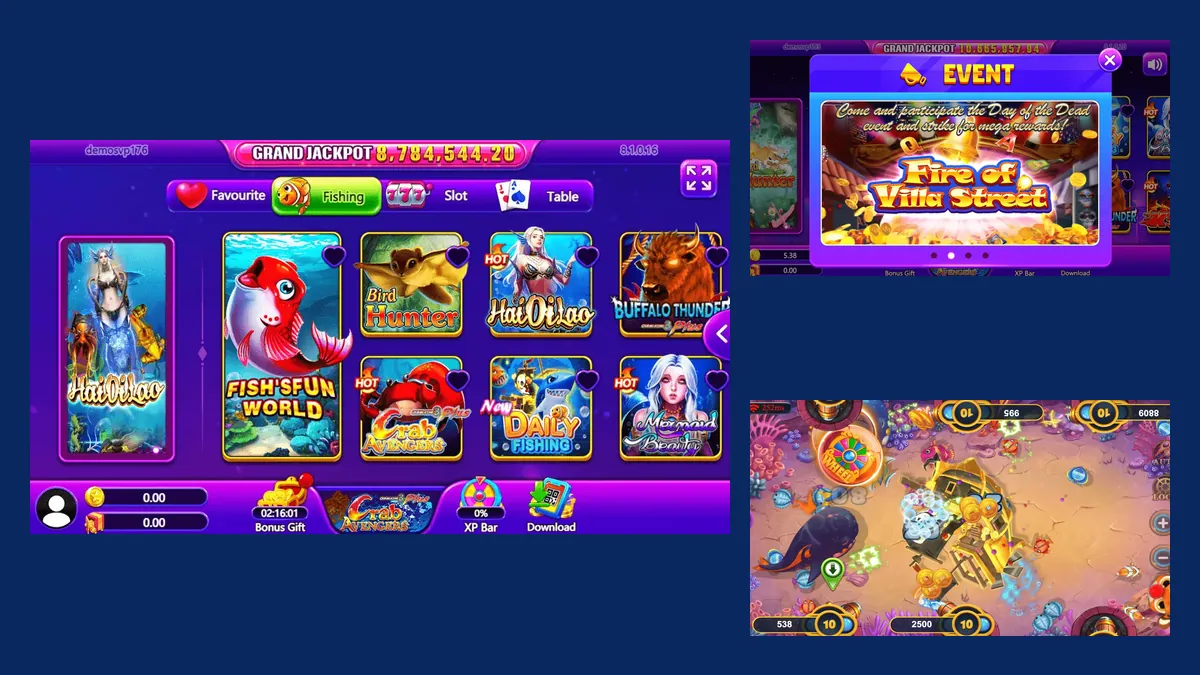
Short answer: "Dragon Fury new version" can mean two things. It can mean Dragon Fury itself, the 2026 rebuild that replaced Vblink. Or it can mean a fresh build of the Dragon Fury player app. In both cases your agent backend, your prepaid points and your player logins live on the server, not on a phone. So the job is simple: confirm the change with your supplier, install it on your own device, test one player from load to redeem, then share the link. Below is the checklist we give our Dragon Fury agents.
Two meanings of "new version"
Players and sellers use the phrase loosely, so ask which one they mean before you answer.
- The platform change. Vblink, also called VPower, was replaced by Dragon Fury in 2026. Old Vblink logins do not open the Dragon Fury panel. Our Vblink to Dragon Fury switching guide covers that move in full.
- An app build. Once you are on Dragon Fury, the player app can still change: a new lobby banner, a new event, a different install file.
This page deals mostly with the second meaning, because that is the message you will get again and again: "there is an update, what do I do?"
What came with the Dragon Fury rebuild
Our Dragon Fury distributor and backend page lists the catalog we work with: 68 slots, 19 fish style games and 5 table games. Players can use the Android app, the iOS app or a web browser. The lobby splits these into Fishing, Slot and Table tabs, with a grand jackpot bar across the top.
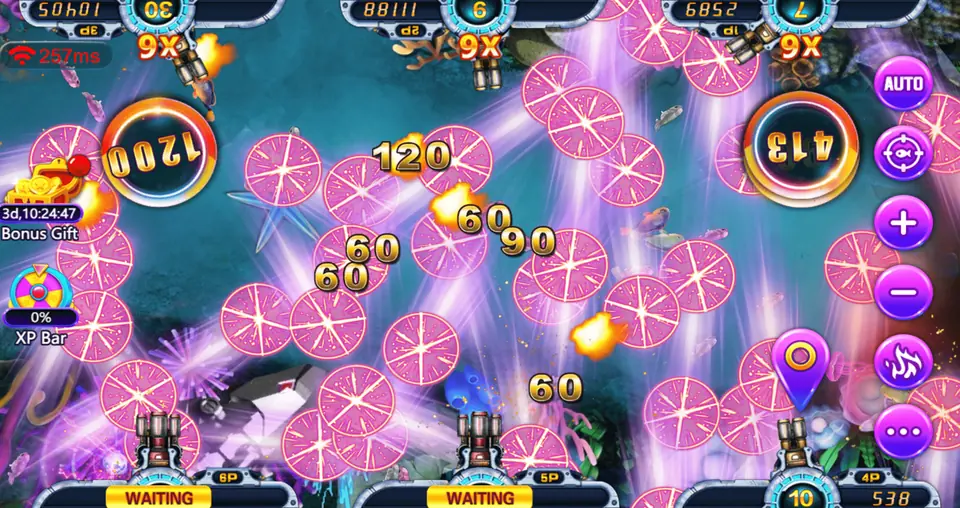
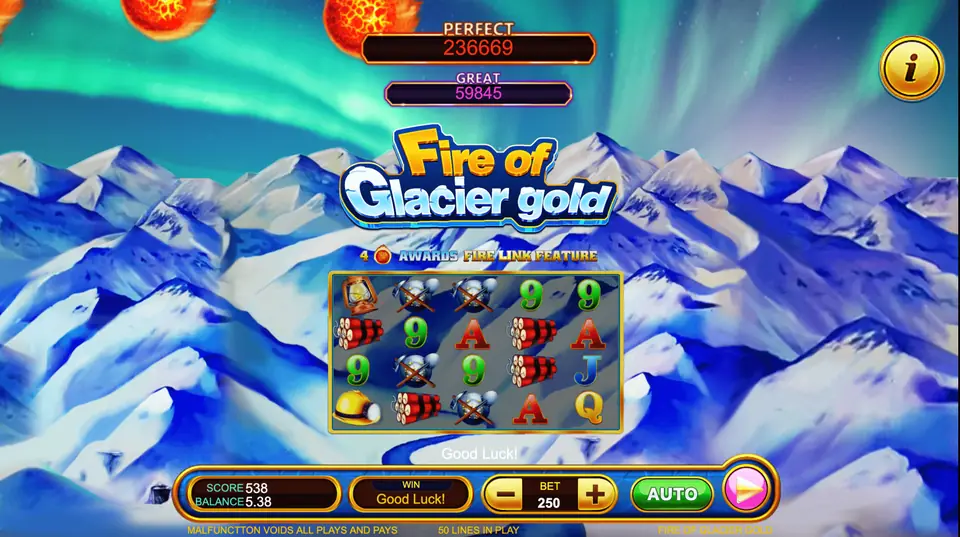
Inside the games you will see gift boxes, seasonal events, community jackpots and a leaderboard. Players can also pick their language at login. When an update lands, these are the parts most likely to look different: new event banners, a reordered lobby, a fresh daily bonus screen.
None of that touches the money side. Loads, redeems and history all sit in your backend.
Dragon Fury news this week
On November 2, 2026, Yogonet International ran a guest piece titled "From VBlink to Dragon Fury: What a gaming platform transition means for retail operators". It also mentions EGame, or X Game, being succeeded by EStar.
Its main point matches what we tell agents. A new name does not prove that every account, setting or balance moves across by itself. The article suggests listing every account you actually use, getting written confirmation for your own balances, and testing everyday admin tasks, not just the game screens.
We did not find an official Dragon Fury release note or app changelog from the last few days. So treat the rest of this page as a standing routine for update day.
What stays the same after an app update
The player app and the agent panel are separate. Updating one does not rewrite the other.
Kept on the server
- Your prepaid points balance.
- Every player username and password you created.
- Load and redeem history, plus staff logins if you use them.
May change on the phone
- Lobby layout, tile order and event banners.
- The install file, its size and the icon.
- Which older phones can still run it.
So if anyone tells a player they must buy credits again or open a new account "because of the new version", that person is wrong. Balances do not move when an app updates.
How to test a Dragon Fury update before players see it
Do this once per update. It takes about fifteen minutes.
- Ask us first. Send "Dragon Fury update?" on WhatsApp or email info@gamebridgedistributor.com. We confirm whether the player download really changed.
- Write down the current version from your phone's app settings, so you can tell later whether the update installed.
- Install on a phone you control, over the old app. If it refuses to install on top, stop and ask. That usually means a file from a different source.
- Sign in as a test player. Keep one spare login in your panel for this, with a small load on it.
- Open one fish room and one slot. The balance in the game should match the balance in your backend.
- Redeem the test credits and check that the entry shows in your history.
- Only then share the link, one-to-one with each player.
Keep players calm on update day
Most support messages after an update are the same few questions. Prepare short replies in advance.
- "My credits are gone." Ask for a screenshot of the login screen. Often they are signed in to a different account.
- "The game looks different." Normal. Banners and events change.
- "It will not install on my iPhone." Send the web version link so they can keep playing while you check.
- "Someone sent me a newer file." Tell them to delete it and use only the link you send.
Remind players to keep their password written somewhere outside the app, in case an update clears saved data. Keep a short note of the date, the file you shared and who received it. The Yogonet piece calls this an issue log, and it settles most disputes quickly.
When the backend moves instead of the app
Sometimes the players see nothing new, but your saved panel address stops loading. That is a backend change, not an app update.
Never search for the panel and click the first result. Copycat sign-in pages exist for every popular game, and one typed password can cost your whole balance. Ask us for the current address, or check our backend login links. Our Dragon Fury admin account guide walks through the panel once you are back in.
Start or grow on Dragon Fury
New to the game? Our guide on how to become a Dragon Fury agent covers the first steps, and the agent starter page lists every system we supply. Supplying other sellers? Compare levels on our distributor accounts page.
Message us for price. You get an empty Dragon Fury account to log in to and check before any payment. Balances are prepaid only, and everything runs online, so agents in Pakistan, Nepal, India, the Philippines, Nigeria or anywhere else follow the same routine.
See prices, backend details and screenshots on our Dragon Fury distributor page.
FAQ
Is Dragon Fury the new version of Vblink?
Yes. Dragon Fury replaced Vblink (VPower) in 2026. Old Vblink logins do not work on the Dragon Fury panel, so agents and players need new Dragon Fury accounts.
Do I lose my points when the Dragon Fury app updates?
No. Your points, player logins and history are stored on the server. An app update only changes the program on the phone.
Is there an official Dragon Fury changelog?
We have not found a public one. Ask your supplier to confirm any new download before you share it with players.
Can players use Dragon Fury without installing the new app?
Yes. Dragon Fury runs in a web browser as well as on Android and iOS, and the same login works on each.
How do I get a Dragon Fury agent account?
Contact us on WhatsApp or call +1 (724) 466-2790, or email info@gamebridgedistributor.com. You receive an empty account to check before any payment. Message us for price.
More guides
- Create a Fire Kirin Account: How Agents Set Up Players
- Orion Stars Redeem: How Agents Handle Cash-Outs
- Create a Game Vault Account for Players: Agent Guide
- Orion Stars New Version: What Agents Should Do
- How to Become a Fire Kirin Agent: First Steps
- Panda Master New Version: What Agents Should Check
- Game Vault New Version: An Update Checklist for Agents
- Juwa New Version: Update or Juwa 2.0? Agent Guide
- Orion Stars Cashier Account: Staff Logins for Agents
- How to Become a Dragon Fury Agent in 2026
- Fire Kirin Sub Distributor: Running a Small Team
- Buy Panda Master Points: A Safe Guide for Agents
- Buy Orion Stars Points: How Agents Restock Safely
- Juwa Sub Distributor: How to Supply Your Own Stores
- How to Become a Game Vault Agent: 2026 Steps
- Dragon Fury Sub Distributor: Supplying Your Own Agents
- Panda Master VIP: What Agents Need to Know
- Fire Kirin New Version: What Agents Should Check
- Buy Juwa Points: A Prepaid Guide for Agents
- Game Vault Sub Distributor: Running a Seller Team
- Orion Stars Sub Distributor: Account Guide for 2026
- Dragon Fury Admin Account: Setup Guide for Agents
- Panda Master Sub Distributor: How the Account Works
- Buy Fire Kirin Points: A Safe Guide for Agents
- Juwa 2.0 Agent Account Setup: Your First Week
- Juwa vs Juwa 2.0: Which Should Agents Run?
- Game Vault 999 vs 777: What Agents Should Know
- How to Become an Orion Stars Agent: Step-by-Step
- How to Become a Panda Master Agent: 2026 Guide
- Vblink to Dragon Fury: Switching Guide for Agents
- How to Become a Fire Kirin Distributor in 2026
- How to Become a Juwa Agent or Distributor
- How to Buy Game Vault Points as a Distributor
- Fire Kirin Backend: How Agent Accounts Work
- Distributor vs Sub Distributor vs Store vs Agent
- Starting With Orion Stars: Setup Walkthrough for Partners