
Orion Stars Redeem: How Agents Handle Cash-Outs
Published · Gamebridge API
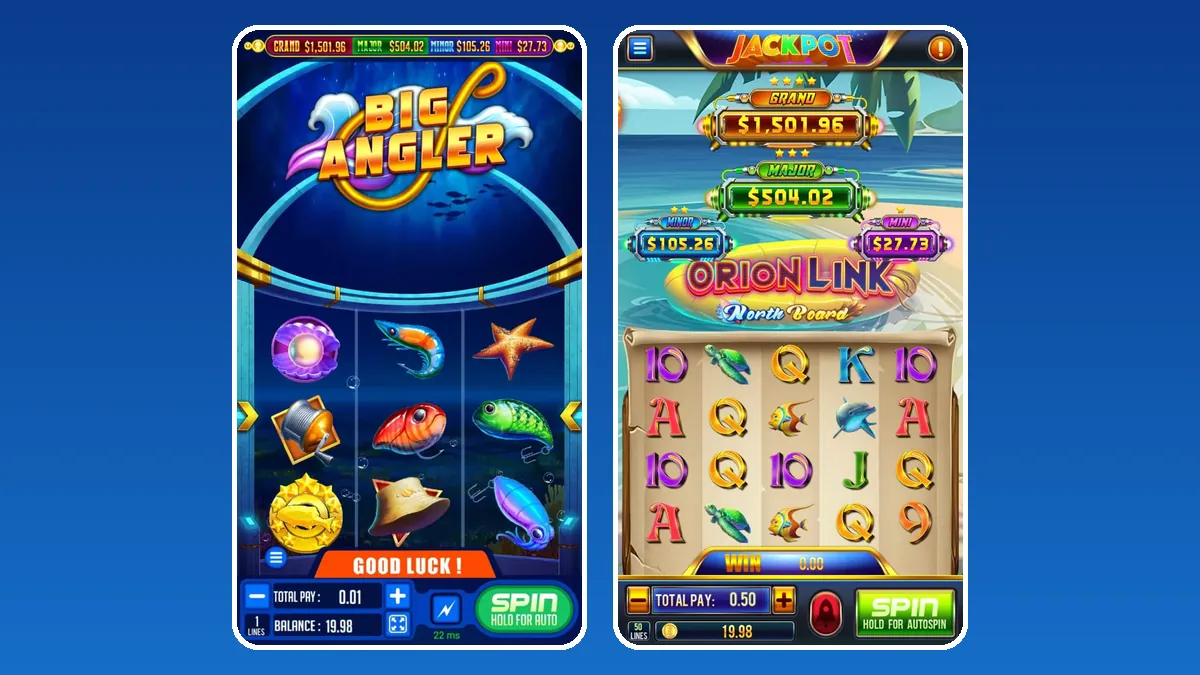
Short answer: an Orion Stars redeem is done by the agent, not the player. The player asks in chat, you open their account in the Orion Stars backend, pull the credits off it, and those points land back in your own balance. Then you pay the player the way your house rules say. The order matters: credits leave the game first, money moves second. Below is the full routine, the rules worth posting before anyone wins, and the record habits that make disputes rare.
What "redeem" means inside Orion Stars
In the Orion Stars backend, redeem is the opposite of recharge. Recharge moves points from your stock onto a player. Redeem moves them from the player back to you.
Nothing is lost on your side. The redeemed points rejoin your agent balance, ready to load onto the next customer. That is why a busy night of wins does not empty your stock. It shifts it around.
Players use other words for the same thing: cash out, withdraw, cash in my credits. When any of those shows up in your chat, treat it as a redeem request.
Who can redeem Orion Stars credits
Players cannot redeem by themselves. The app has no button that sends money anywhere. It only shows their credits.
- You, the agent or store. Your login can redeem from any player you created.
- Your cashiers. A staff login under you can handle redeems if you allow it. Our Orion Stars cashier account guide explains how those staff logins work.
- Not your distributor. Your supplier handles your stock, not your individual players.
So when a stranger online offers to "redeem your Orion Stars account" for a fee, ignore it. Only the seller who made the login can reach it.

How to redeem in the Orion Stars backend, step by step
Labels shift a little between panel builds. The order of work does not.
- Get the request in writing. Ask for the username and the amount in one message.
- Ask the player to leave every game. A round still spinning can change the balance while you work.
- Sign in to the backend using the address your supplier sent, not a link from an ad.
- Search the username and compare the balance with what the player told you.
- Press redeem and type the amount. Double check the digits before you confirm.
- Look at both numbers. The player should drop by that amount and your balance should rise by the same figure.
- Pay the player and send a short confirmation with the time.
If the player balance is lower than the request, stop and ask. Usually they kept playing after they messaged you.
House rules to post before the first win
Most cash-out arguments start because the rules were never written down. Put yours in your profile or pinned message on day one.
- A minimum redeem. Small leftovers can stay on the account for the next session.
- Hours. Say when you process requests, for example noon to midnight your time.
- One request at a time. A second message does not move a player up the queue.
- Same payout details. Pay only to the account name the player gave when they first loaded.
Keep the rules short. A player reads four lines. Nobody reads a wall of text after a big win.
Common Orion Stars redeem problems
The balance changed mid-redeem
The player tapped back into a fish room. Ask them to close the app, refresh the account in the panel and start over.
You typed the wrong amount
If you redeemed too much, recharge the difference straight away and note both lines. If you redeemed too little, run a second redeem for the rest.
The player says they never got paid
Open the records screen, find the redeem time, and send them your payment proof from that moment. Calm facts end most of these chats.
Your panel will not load
Check the address on our backend login links page before you assume the account is down.
Records that match your panel
The Orion Stars backend keeps its own history of every recharge and redeem. Your notes should agree with it line for line.
- Write down the time, username, credits redeemed and the payment reference.
- Use one sheet per day so a busy weekend stays readable.
- At closing time, add up the redeems in your sheet and compare them with the panel total.
When the totals differ, find the gap that same night. A missing line is easy to trace after ten minutes and very hard after ten days.

Planning your stock around redeems
Redeems feed your balance, but payouts still leave your pocket. Treat the two as separate jobs.
Set aside money for paying players before you reorder points. On a lucky night for your customers, that reserve keeps you calm and on time.
When your balance does run low, restock early. Our guide to buying Orion Stars points covers how a prepaid top-up from us works.
Need an Orion Stars agent login?
Screenshots of the panel, the full title list and each login level sit on our Orion Stars backend and distributor page. First time selling any game? Start with our guide to becoming an agent. If you want sellers working under you, read about our distributor accounts.
Message us for price. Before any payment, we hand you an empty Orion Stars login so you can try recharge and redeem yourself. All points are prepaid. The whole job runs online, so the same steps work for a seller in Karachi, Chitwan, Cebu or Port Harcourt.
See prices, backend details and screenshots on our Orion Stars distributor page.
FAQ
Can a player redeem Orion Stars credits without an agent?
No. The Orion Stars app only shows credits. The agent who created the account processes every redeem from the backend.
Where do redeemed Orion Stars points go?
Back into the agent's own balance. The agent can load those points onto another player later.
How long does an Orion Stars redeem take?
The backend part takes under a minute. Total time depends on the hours and rules each agent posts for players.
What if I redeem the wrong amount by mistake?
Recharge the extra back onto the player right away, or run a second redeem if you took too little. Note both actions in your records.
How do I get an Orion Stars agent account to handle redeems?
Message us on WhatsApp or call +1 (724) 466-2790, or email info@gamebridgedistributor.com. You get an empty login to check before paying. Message us for price.
More guides
- Create a Game Vault Account for Players: Agent Guide
- Orion Stars New Version: What Agents Should Do
- How to Become a Fire Kirin Agent: First Steps
- Panda Master New Version: What Agents Should Check
- Game Vault New Version: An Update Checklist for Agents
- Juwa New Version: Update or Juwa 2.0? Agent Guide
- Orion Stars Cashier Account: Staff Logins for Agents
- How to Become a Dragon Fury Agent in 2026
- Fire Kirin Sub Distributor: Running a Small Team
- Buy Panda Master Points: A Safe Guide for Agents
- Buy Orion Stars Points: How Agents Restock Safely
- Juwa Sub Distributor: How to Supply Your Own Stores
- How to Become a Game Vault Agent: 2026 Steps
- Dragon Fury Sub Distributor: Supplying Your Own Agents
- Panda Master VIP: What Agents Need to Know
- Fire Kirin New Version: What Agents Should Check
- Buy Juwa Points: A Prepaid Guide for Agents
- Game Vault Sub Distributor: Running a Seller Team
- Orion Stars Sub Distributor: Account Guide for 2026
- Dragon Fury Admin Account: Setup Guide for Agents
- Panda Master Sub Distributor: How the Account Works
- Buy Fire Kirin Points: A Safe Guide for Agents
- Juwa 2.0 Agent Account Setup: Your First Week
- Juwa vs Juwa 2.0: Which Should Agents Run?
- Game Vault 999 vs 777: What Agents Should Know
- How to Become an Orion Stars Agent: Step-by-Step
- How to Become a Panda Master Agent: 2026 Guide
- Vblink to Dragon Fury: Switching Guide for Agents
- How to Become a Fire Kirin Distributor in 2026
- How to Become a Juwa Agent or Distributor
- How to Buy Game Vault Points as a Distributor
- Fire Kirin Backend: How Agent Accounts Work
- Distributor vs Sub Distributor vs Store vs Agent
- Starting With Orion Stars: Setup Walkthrough for Partners