
Create a Fire Kirin Account: How Agents Set Up Players
Published · Gamebridge API
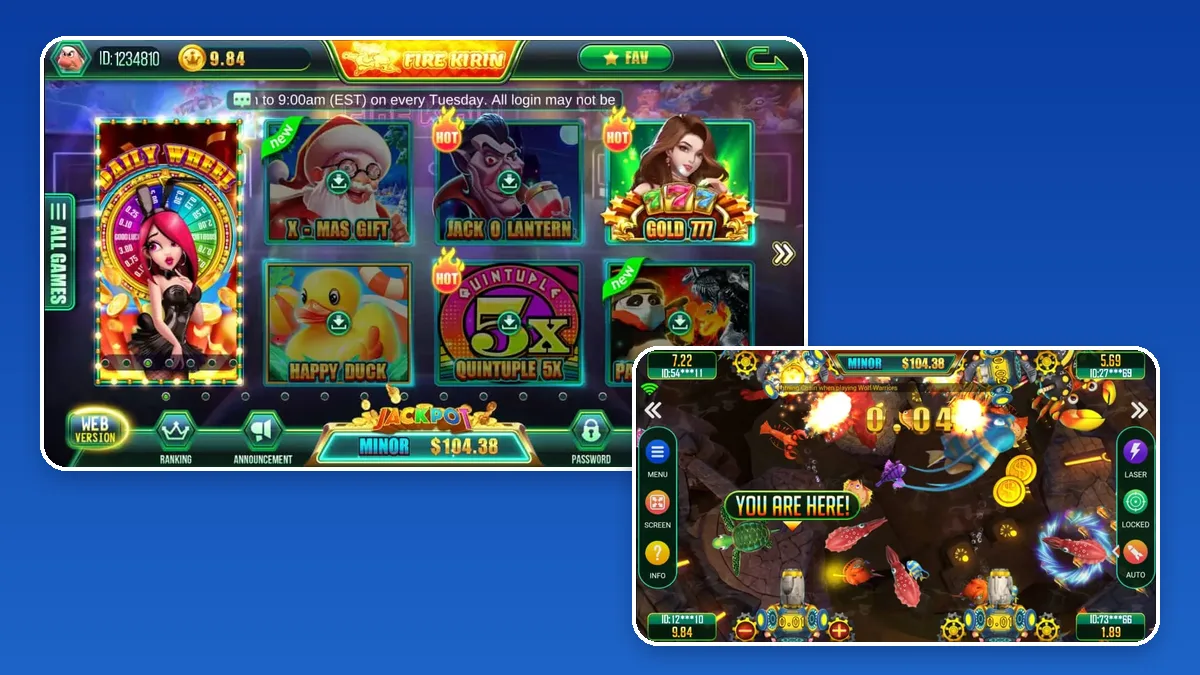
Short answer: to create a Fire Kirin account, a player has to go through an agent. Fire Kirin does not offer an open registration page that hands out working logins. You, the agent, add the player inside your Fire Kirin backend, pick the username and starting password, load their first credits after payment and send the details in a private chat. From there, the player logs in through the Fire Kirin app or its browser lobby. Below is each part, from the first click in the panel to the questions new players ask in their first hour.
Who can open a Fire Kirin player account
Fire Kirin is sold in layers. Distributors hold large balances, sub distributors serve groups of sellers, and agents look after players. Only a login with player tools can add customers, and in most setups that is the agent seat.
So when a player searches for a Fire Kirin sign up form, what they really need is you. Many of them land on pages with a register button that leads nowhere, or on look-alike sites asking for personal details. Point them to your chat instead. If any site asks a player for an ID photo just to play, tell them to stop and message you.
For you, this is a quiet advantage: every new player starts in your chat, follows your house rules and reloads with you.
Things to have ready first
A Fire Kirin player account takes a minute to make, but only if the basics are in place.
- A working agent login from your distributor, plus the correct panel address. Bookmark it so you never pick a fake link from search.
- Credits in your own balance. A player can start at zero, though most want to play the moment they pay.
- Your naming system. Decide how usernames will look before the first customer, not after the fiftieth.
- Your download links for Android and the browser version, taken from your supplier, not from an app listing site.
New to the panel itself? Our Fire Kirin backend guide explains the main screens and how the account levels connect.
How to create a Fire Kirin account, step by step
Menu names shift slightly between panel builds, yet the sequence below stays the same.
- Log in to your agent backend using the bookmarked address. If the page will not load, see our backend login links before trying random mirrors.
- Find the player management area and choose the option to add a new user.
- Enter the username that follows your naming system.
- Enter a starting password made only for this player.
- Save, then search for the new name to confirm it exists with a zero balance.
- Recharge the account after the player's payment clears. Check that your balance dropped by the same amount the player received.
- Message the login privately, together with the right app or web link.
Do a dry run on a spare account of your own before your first real player. Log in on your phone, open a fish table, then take the test credits back so your records stay clean.
Usernames that stay easy to track
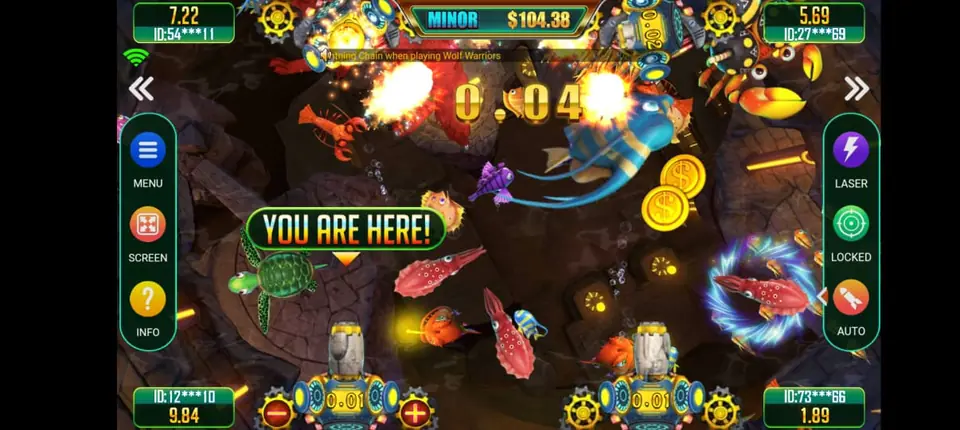
Fire Kirin shows player IDs at the fish tables, partly hidden, and your backend lists every account you create. A clear pattern makes both screens easier to read.
What works
- A short shop tag followed by a number that rises with each sign-up.
- Only lowercase letters and digits, so nobody mixes up a 0 and an O.
- A private sheet linking each username to the player's chat handle and join date.
What causes trouble
- Phone numbers or full names in the username.
- Letting two friends share one account. Disputes become impossible to settle.
- Changing your pattern halfway through. Old and new players then look like two different shops.
Passwords and the first sign-in
Most "my account does not work" messages come in the first ten minutes. A clear handover prevents them.
- Send the username and password as text the player can copy and paste.
- Mention that capital letters matter and that there are no spaces.
- Show them the Password button in the lobby so they can change it after their first sign-in.
- Explain that password resets go through you, the agent who made the account.
If a player is still stuck, confirm the exact username in your panel, set a fresh password and send it again. The Fire Kirin player password reset walkthrough on our sister site is handy for training a helper.
What to tell a brand new player
Save one welcome message and reuse it. It should cover:
- Your shop name and the hours you reply.
- Their username and starting password.
- The Android link, and the Web Version option for iPhone users.
- How to pay you for a recharge and how a redeem request works.
- Where to look for credits: the number beside their ID at the top of the lobby.
If someone later says the app looks different or wants a reinstall, check the steps in our Fire Kirin new version guide before sending any file.
When you outgrow one agent login
Once you are adding players every day, think about help. Some agents give a trusted person a staff login. Others step up to a sub distributor seat so friends can run their own player lists under them.
Each level is a separate account from your supplier. Our distributor accounts page lays out the tiers, and our guide to buying Fire Kirin points covers keeping a bigger balance stocked.
Get your own Fire Kirin agent login
Screenshots of the lobby, the seat levels and the admin tools are on our Fire Kirin backend and distributor page. If you plan to sell several games, the become an agent page lists every system we supply.
Message us for price. You receive an empty Fire Kirin account to look through, and you can practise adding a test player before you pay. Every balance is prepaid. Because it all runs online, sellers in Pakistan, Nepal, India, the Philippines or Nigeria follow the same routine.
See prices, backend details and screenshots on our Fire Kirin distributor page.
FAQ
Can a player create a Fire Kirin account without an agent?
No. Player logins are made by an agent in the Fire Kirin backend. A player who wants to join should message an agent, who sets up the username and password.
How long does it take to make a Fire Kirin player account?
Around a minute once you are signed in. Choosing the username and sending the login usually take longer than the account itself.
Is a Fire Kirin account the same on the app and the web version?
Yes. One username and password work in the Android app and in the browser version, and the credit balance is shared between them.
What should I do if a new Fire Kirin login is rejected?
Check the username letter by letter in your panel, including capitals. If it matches, reset the password, send the new one and ask the player to paste it rather than type it.
Where do I get a Fire Kirin agent account to add players?
From us. Contact us on WhatsApp or call +1 (724) 466-2790, or email info@gamebridgedistributor.com. You get an empty account to check before any payment. Message us for price.
More guides
- Dragon Fury New Version: An Agent Update Checklist
- Orion Stars Redeem: How Agents Handle Cash-Outs
- Create a Game Vault Account for Players: Agent Guide
- Orion Stars New Version: What Agents Should Do
- How to Become a Fire Kirin Agent: First Steps
- Panda Master New Version: What Agents Should Check
- Game Vault New Version: An Update Checklist for Agents
- Juwa New Version: Update or Juwa 2.0? Agent Guide
- Orion Stars Cashier Account: Staff Logins for Agents
- How to Become a Dragon Fury Agent in 2026
- Fire Kirin Sub Distributor: Running a Small Team
- Buy Panda Master Points: A Safe Guide for Agents
- Buy Orion Stars Points: How Agents Restock Safely
- Juwa Sub Distributor: How to Supply Your Own Stores
- How to Become a Game Vault Agent: 2026 Steps
- Dragon Fury Sub Distributor: Supplying Your Own Agents
- Panda Master VIP: What Agents Need to Know
- Fire Kirin New Version: What Agents Should Check
- Buy Juwa Points: A Prepaid Guide for Agents
- Game Vault Sub Distributor: Running a Seller Team
- Orion Stars Sub Distributor: Account Guide for 2026
- Dragon Fury Admin Account: Setup Guide for Agents
- Panda Master Sub Distributor: How the Account Works
- Buy Fire Kirin Points: A Safe Guide for Agents
- Juwa 2.0 Agent Account Setup: Your First Week
- Juwa vs Juwa 2.0: Which Should Agents Run?
- Game Vault 999 vs 777: What Agents Should Know
- How to Become an Orion Stars Agent: Step-by-Step
- How to Become a Panda Master Agent: 2026 Guide
- Vblink to Dragon Fury: Switching Guide for Agents
- How to Become a Fire Kirin Distributor in 2026
- How to Become a Juwa Agent or Distributor
- How to Buy Game Vault Points as a Distributor
- Fire Kirin Backend: How Agent Accounts Work
- Distributor vs Sub Distributor vs Store vs Agent
- Starting With Orion Stars: Setup Walkthrough for Partners